I've been quite busy lately, so I haven't tinkered with my blog much. Last night, just before going to bed, I realized it had been a while since I last checked my friends' blogs. I habitually opened Teacher Du's blog and saw several recent posts about deploying
Cloudreve, which immediately sparked my interest to tinker around.
I'm no stranger to Cloudreve—in fact, it's like an old friend I haven't seen in years. I first encountered it back in 2018. Due to frequent server migrations and lack of data backups, I eventually stopped using it. At one point, I almost purchased the sponsorship version for 199, but didn't. Last night, I instinctively checked the current price and felt like I'd missed out on something great (even though I haven't bought it yet, I really wanted to).
Right after browsing the blog, I wanted to start tinkering. Since I previously purchased the Professional edition during the 1Panel beta, I've migrated some services onto 1Panel. The software store is incredibly convenient—deployment took less than a few seconds. After testing, it still has that familiar flavor (that strong MDUI taste). Later, upon checking the code, I noticed it seems to have transitioned from PHP to Golang, likely resulting in significant performance improvements. I haven't put it into actual use yet.
After deployment, I discovered a "hidden feature" mentioned here: you can use Cloudreve as an image hosting service. Suddenly, my current LanKong setup didn't seem as appealing. Being able to use it both as a file storage and image host? That's fantastic—I'm seriously considering switching over recently.
Alright, let's get to the main topic.
Due to using a Docker container, I couldn't directly modify the website's ico icon. After searching online, I couldn't find any Docker-related solutions. My first thought was to map the container's data volume to a local directory via volume mounting. I instinctively checked the repository, assuming the frontend was bundled inside the container, so I mistakenly mounted the public directory. Nothing happened. I tried clearing the cache, but still no luck. Eventually, I ran out of ideas and, since it was already late, just shut down my computer and went to sleep.
The above was a small pitfall I fell into. Below is my actual modification process. I deployed via 1Panel, but this method should theoretically work for any Docker container deployment.
Edit the Docker compose file (docker-compose.yml):
Add a local volume mount at the end of the file:
Local path and name should be adjusted according to your own setup.

1715581726152.webp
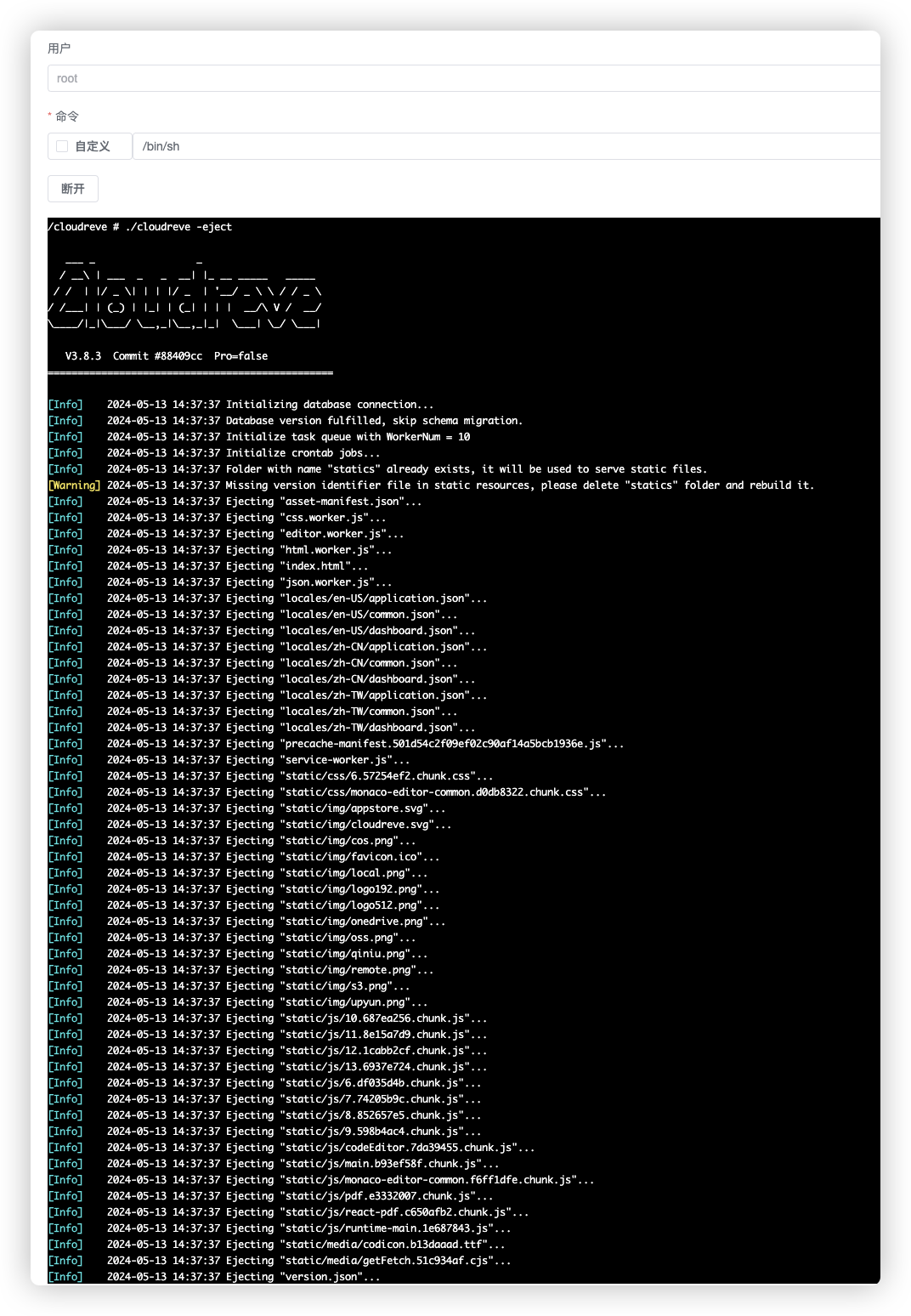
After modification, you'll find the service fails to start properly upon restart. This is because the Cloudreve container ships with a compiled binary and doesn't include static resource files by default. You need to enter the container and run a command to extract the static assets.
Run this command inside the container to release static resources:
1715582363708.webp
Then, navigate into the container's local directory to modify or replace the icon file:

1715582532870.webp
Note: Since static resource directories aren't included by default in the container, you'll need to re-extract the static resources every time the container is rebuilt before replacing the icon.